
DOCWISE FOLLOW-UPS
Keep the conversation moving.
Turn website chats, WhatsApp conversations and AI calls into organised enquiries—with an AI summary and follow-ups configured around your practice.
Book a personalised demoCRM included in the Docwise Suite. Setup support at no extra charge.
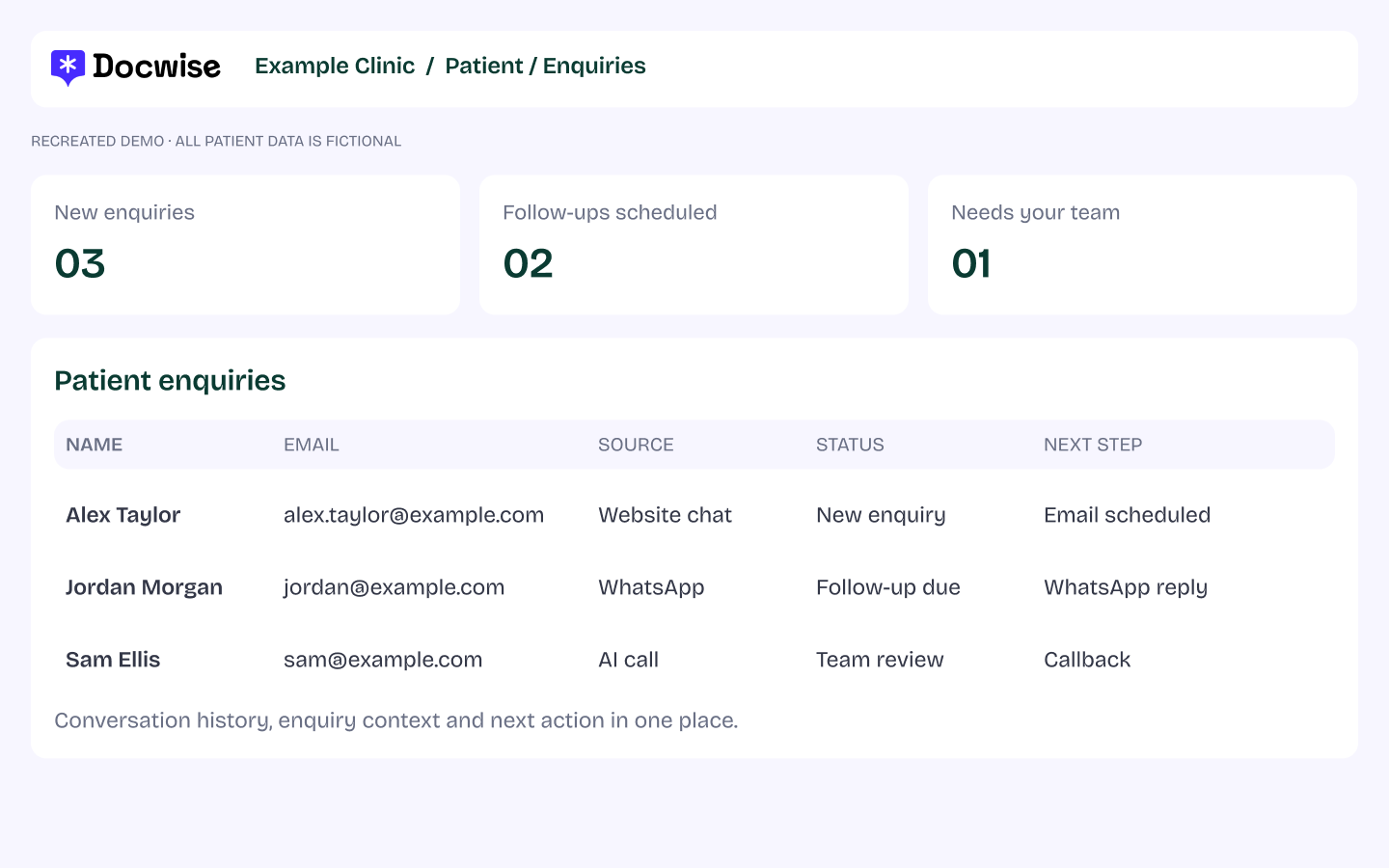
Recreated CRM view with fictional patient data.
FROM ENQUIRY TO NEXT STEP
One conversation. A connected workflow.
See how an enquiry moves from the assistant into a CRM record, an AI enquiry summary and a configured follow-up.
Recreated demonstration using fictional clinic and patient data. Example messages and workflow; your setup is tailored to your practice.
THREE WAYS IN. ONE PLACE TO FOLLOW UP.
Meet patients where they start.

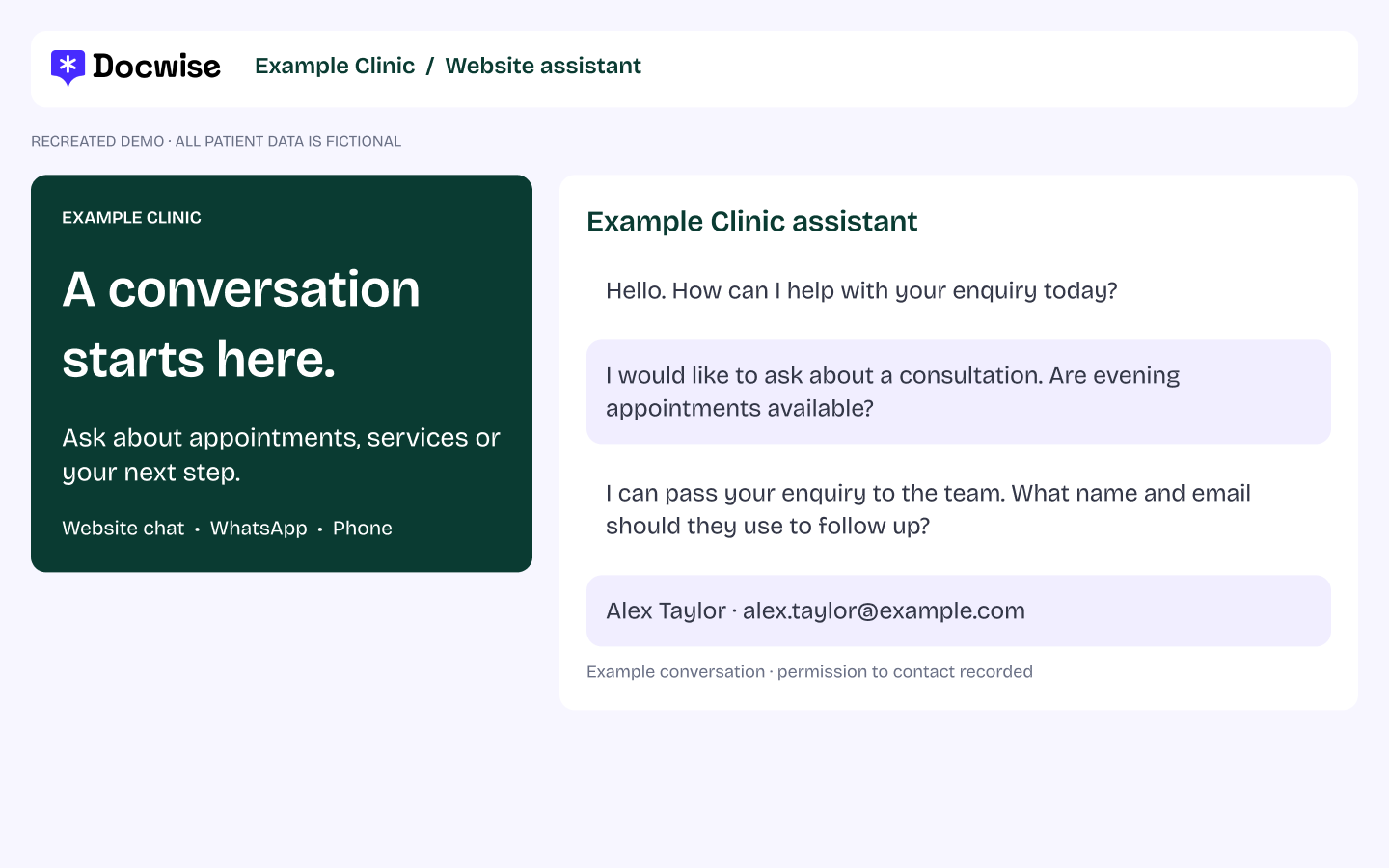
Website chat
Capture the enquiry while someone explores your services. Keep their conversation and contact details together.

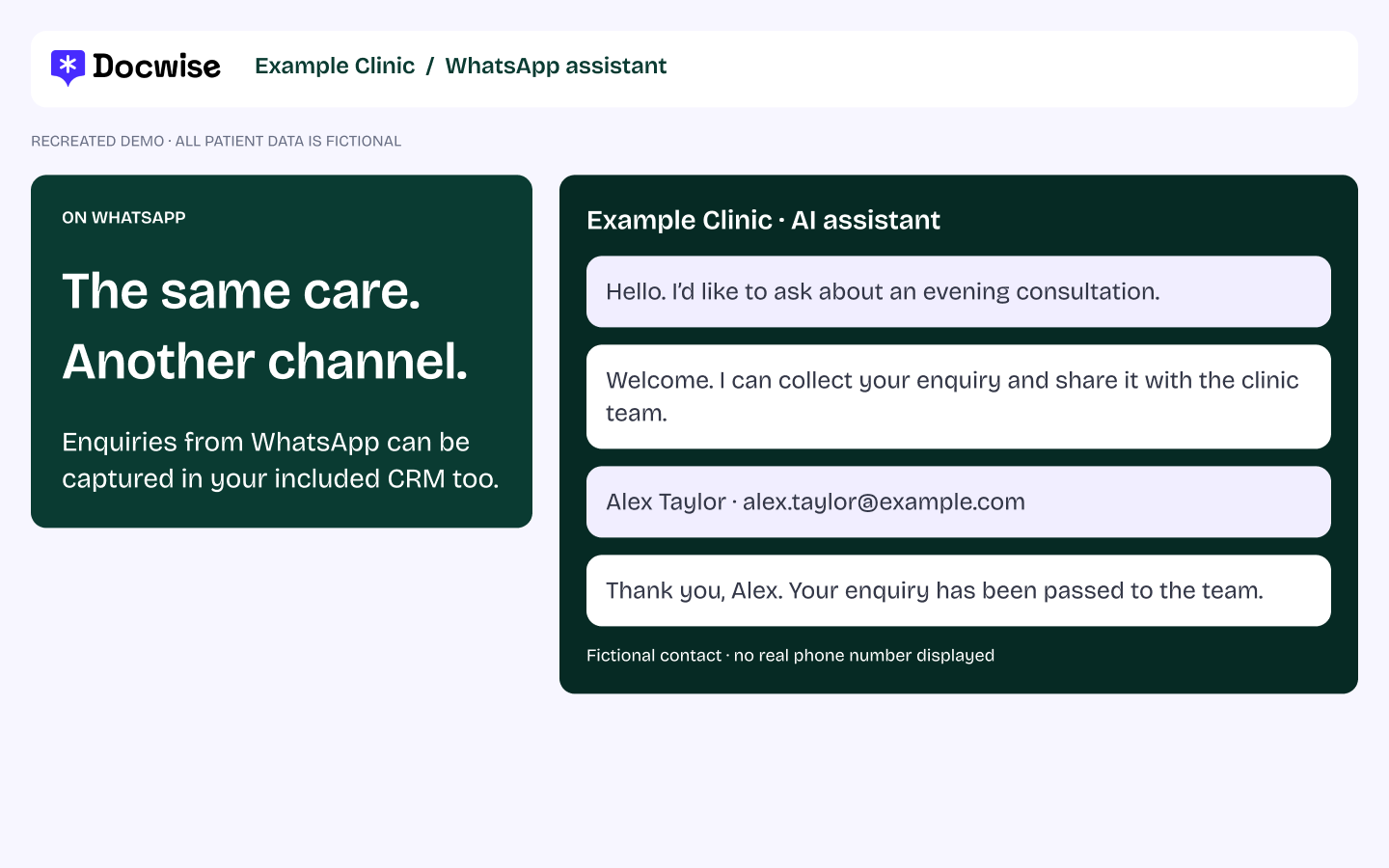
Bring assistant conversations into the same CRM, so your team can see the enquiry and its next step.

AI calls
Log enquiries handled by your AI phone assistant, with context ready for the team to follow up.
THE CONTEXT BEHIND THE CONTACT
A useful summary. The conversation behind it.
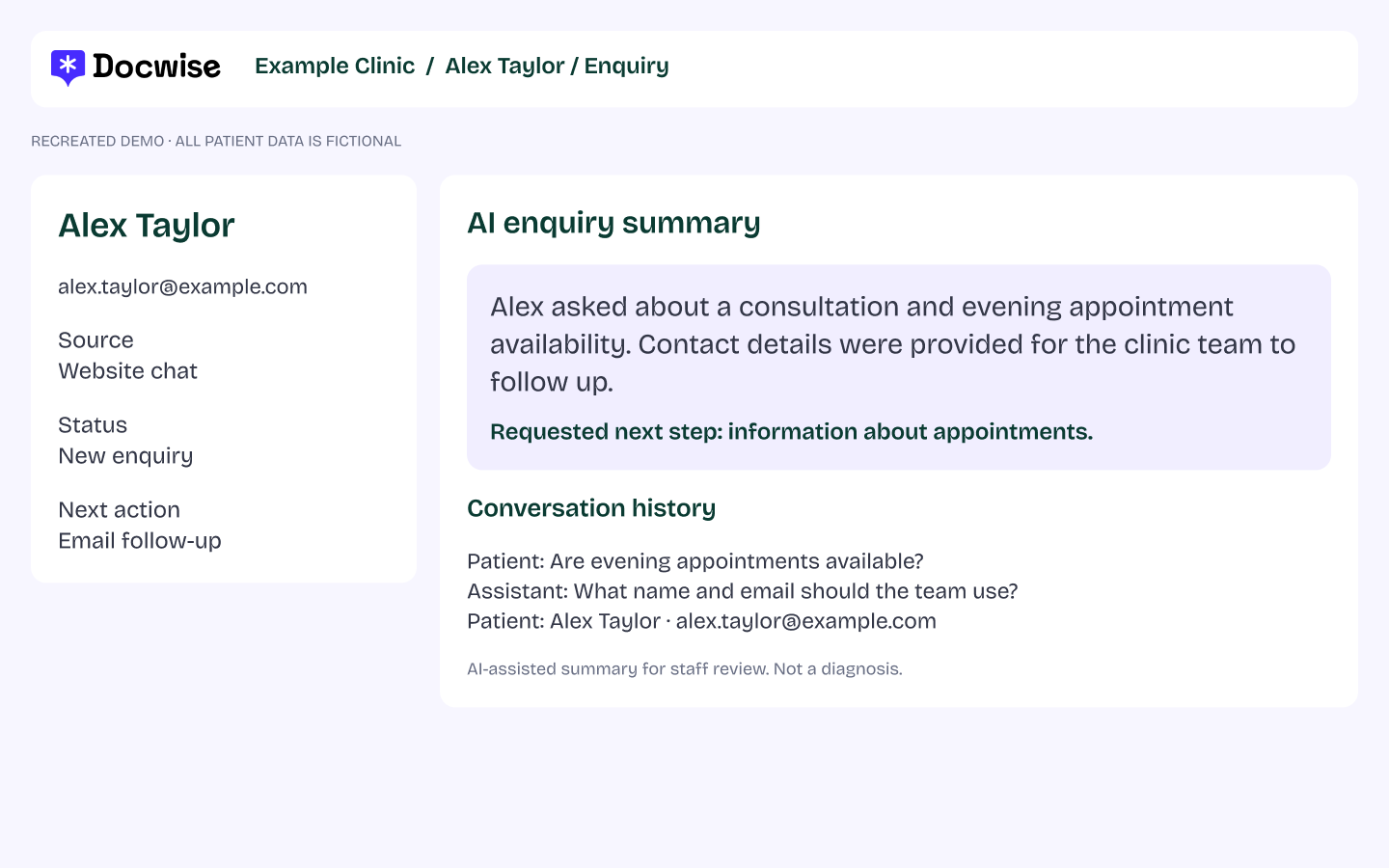
The AI enquiry summary draws on what the patient shared in the conversation. Your team can review the reason for contact, questions and preferences alongside the conversation history.
Contact details, source and next action stay with the record, so the team can pick up with context.
AI-assisted summaries support staff review; they are not diagnoses.
BUILT AROUND YOUR PRACTICE
Your triggers. Your timings. Your next step.
Configure automatic emails, WhatsApp messages, SMS and AI call follow-ups from the CRM. Our team helps you shape the sequence around your services and the way your team works.
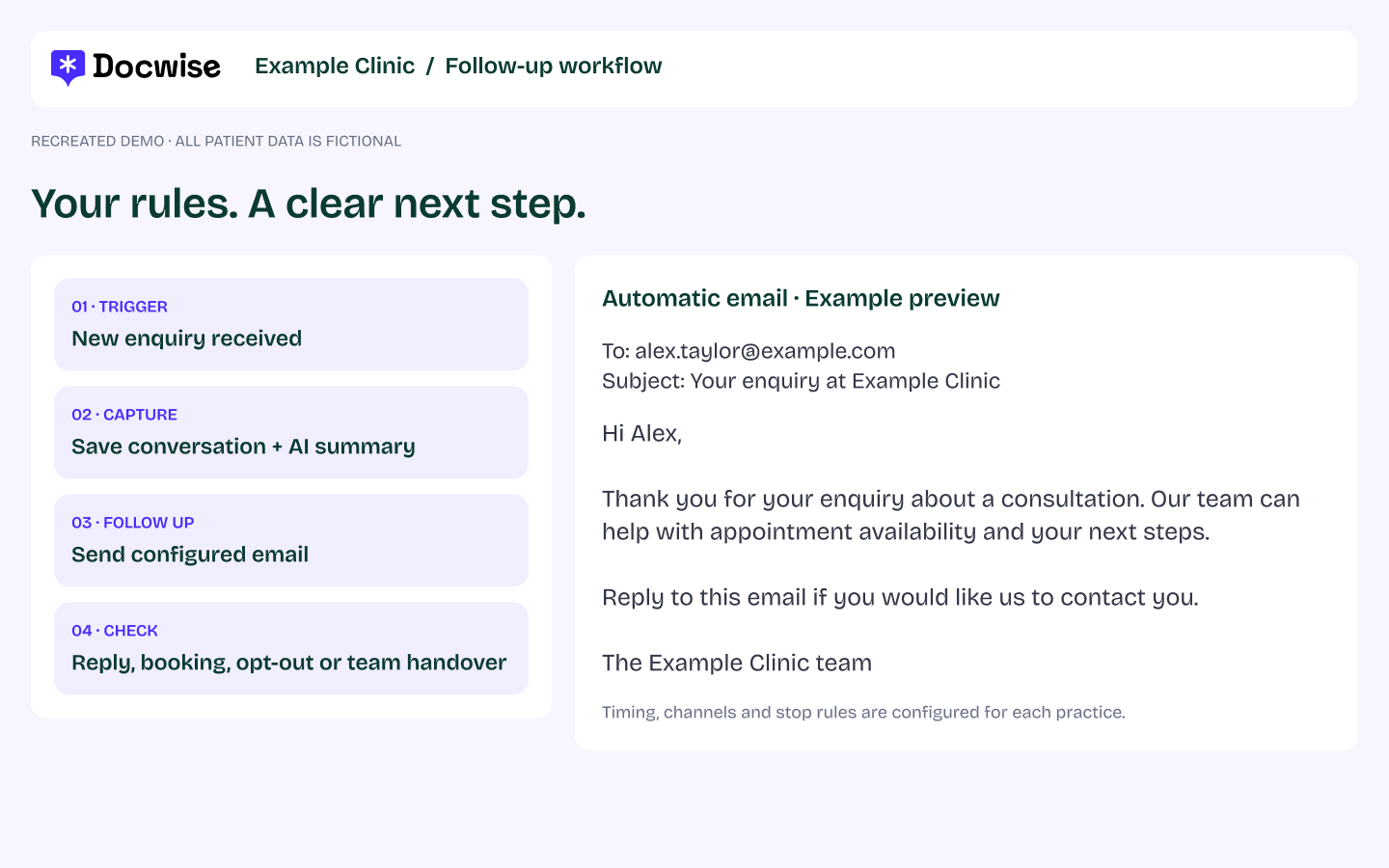

Choose what starts it
An enquiry, callback request, incomplete conversation or another event in your configured workflow.

Choose the next message
Set the channel, content and timing. Follow up with information that fits the enquiry.

Choose when it stops
Configure what happens when someone replies, books or opts out—including pauses and changes of path.

Keep your team involved
Define when staff take ownership, review the context or continue the conversation themselves.
Turn a completed consultation into a timely review invitation.
When a consultation is marked complete in your configured workflow, an automatic email or SMS can invite the patient to share their experience. Your team chooses the delay, message and schedule, so there is no need to send each request manually.
Set the timing around your practice, respect communication preferences and stop or change follow-ups when the patient responds.
See automated review requestsILLUSTRATIVE WORKFLOW
Consultation → timing rule → review invitation
“Thank you for visiting Your Practice. If you would like to share your experience, you can leave an honest review here.”
Invite honest feedback consistently. Requests should not depend on a positive rating, and no incentive is offered. Keep patient information out of public review replies.
Read Google’s review guidance.
Keep the next appointment and the bigger picture in view.

Automated reminders
Configure appointment reminders by email or SMS around your clinic’s schedule. Choose when they send and what happens if an appointment is changed or cancelled.
Give patients the practical information they need before a visit, without creating a manual task for every appointment.
Plan your reminder workflow
Practice analytics
Bring enquiry sources, conversation context and recorded appointment outcomes into one view. See which enquiries need attention and where follow-up is still pending.
Our team helps configure the fields and reporting around the data your clinic records and the systems you connect.
Explore your practice activityHEALTHCARE FOCUSED. SUPPORTED BY PEOPLE.
Included in your Suite. Set up with your team.
Your CRM and follow-up workflow are part of the Docwise Suite. Our healthcare specialist team helps configure the capture, summaries, messages and handover rules at no extra setup cost.
GDPR and HIPAA compliant, with setup tailored to your practice’s requirements.
Book a personalised demoA few questions, answered.
Which conversations are captured?
Enquiries handled through your Docwise website assistant, WhatsApp assistant and AI phone assistant are logged in the CRM automatically.
What does the AI summary include?
It summarises the information shared in the patient’s conversation, with the conversation history available for your team to review.
Can we customise follow-ups?
Yes. Your team can configure triggers, messages, timing, channels and the rules for stopping, pausing or handing over.
Is the CRM an extra purchase?
The CRM is included in the Docwise Suite. Our team helps with setup at no extra charge.
What happens in the demo?
We walk through how enquiry capture, summaries and follow-ups could work for your practice, with your website and workflow in mind.
LET’S MAP YOUR NEXT STEP
See how your practice could follow up.
Bring your website and your current enquiry process. We’ll walk through the assistant, CRM and follow-up journey with you.
Book a personalised demo